Modbus Poll has been the go-to Modbus master for many engineers for years. It works. But it is not always the right tool for the job in front of you. If you are searching for a Modbus Poll alternative, you probably hit one of three walls: the licence, the install, or the operating system.
This guide compares the options in plain terms. You will see where Modbus Poll still wins, where a free tool is enough, and how to switch without losing your habits.
Why engineers look for a Modbus Poll alternative
Modbus Poll is a product of Witte Software. It is a well-known Modbus master simulator for Windows. You can read about it on the official Modbus Poll page. We even wrote a review of Modbus Poll and Modbus Slave on this blog.
So why look elsewhere? These are the reasons we hear most:
- Price. According to the vendor’s public pages (October 2026), a licence costs USD 129 for one to two seats. That adds up for a team.
- Trial limits. The trial disconnects after 10 minutes. That is short for a commissioning session.
- Windows only. Modbus Poll runs on Windows. If you carry a Mac or a Linux laptop, you need another tool.
- Install rights. Many company laptops block installers. Waiting for IT on site wastes a day.
None of these are flaws in the software. They are simply facts that do not fit every job.
When Modbus Poll is still the right choice
Let us be fair first. Modbus Poll supports Modbus TCP, and UDP too. If your devices sit on Ethernet today, a desktop master like Modbus Poll is still the right pick.
The same is true if your company already owns licences and every laptop runs Windows. Then there is no reason to change a tool your team knows well.
An alternative makes sense when your work is mostly serial: Modbus RTU or ASCII over RS-485 or RS-232. That is where most HVAC field devices live.
What a good alternative must offer
A replacement should not feel like a step down. Before you switch, check these points:
- Several poll windows at once. Each with its own slave ID, function code, address range and scan rate.
- A real traffic log. Requests and responses in hex, with checksum checks and error counters.
- Data formats. 16, 32 and 64-bit integers, floats in every byte order, and scaling.
- Logging. Export to a format your colleagues can open, such as Excel.
- Write support with a safety switch. You want to write registers, but also to block writes on a live system.
- Familiar shortcuts. Your hands know F5 and F6. A new tool should respect that.
If a tool misses two or more of these, it will slow you down on site.
Feature comparison of Modbus testing tools
The table below comes from the comparison on the ModbusMate product page. The competitor details are taken from the vendors’ public pages, October 2026.
| ModbusMate | Modbus Poll | QModMaster | Other browser testers | |
|---|---|---|---|---|
| Price | Free | USD 129 per licence (1–2 seats) | Free | Mostly free |
| Runs on | Chrome, Edge or Opera on Windows, macOS, Linux, ChromeOS | Windows | Windows and Linux | Chrome or Edge on desktop |
| Install | None | Installer | Download and unpack | None |
| Modbus RTU / ASCII | RTU and ASCII | RTU and ASCII | RTU | Mostly RTU |
| Modbus TCP | Coming soon | Yes, plus UDP | Yes | No |
| Multiple poll windows | Yes | Yes | No | Varies |
| Traffic log with CRC check | Yes | Yes | Bus monitor | Varies |
| Charting and export | Chart to PNG/CSV, log to CSV/XLSX | Logging to Excel and text | No | Varies |
| Limits | Free profile after a 5-minute guest session | Trial disconnects after 10 minutes | None | Varies |
QModMaster is an open-source project. It is free and has no limits, but it covers RTU only on the serial side and has one poll view.
ModbusMate: the free Modbus Poll alternative we built
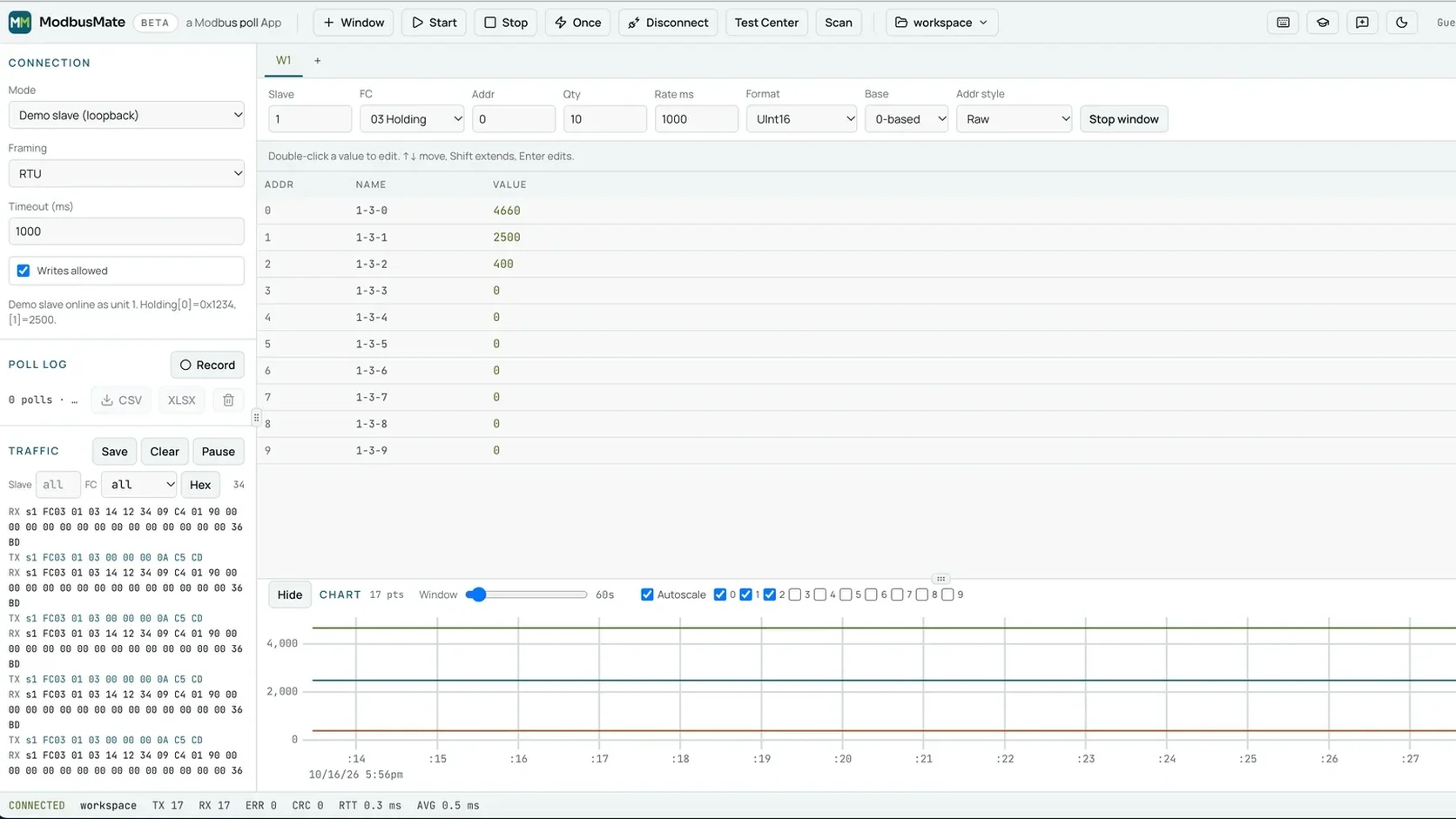
We build HVAC room devices with Modbus RTU at Andivi in Slovenia. We test them every day. So we built the tool we wanted to use and made it free. It is called ModbusMate, and it runs in your browser.
You plug a USB to RS-485 adapter into your laptop, open Chrome or Edge, and start polling. There is nothing to install and no licence key.
It feels familiar from the first minute
If you come from a desktop master, you will feel at home:
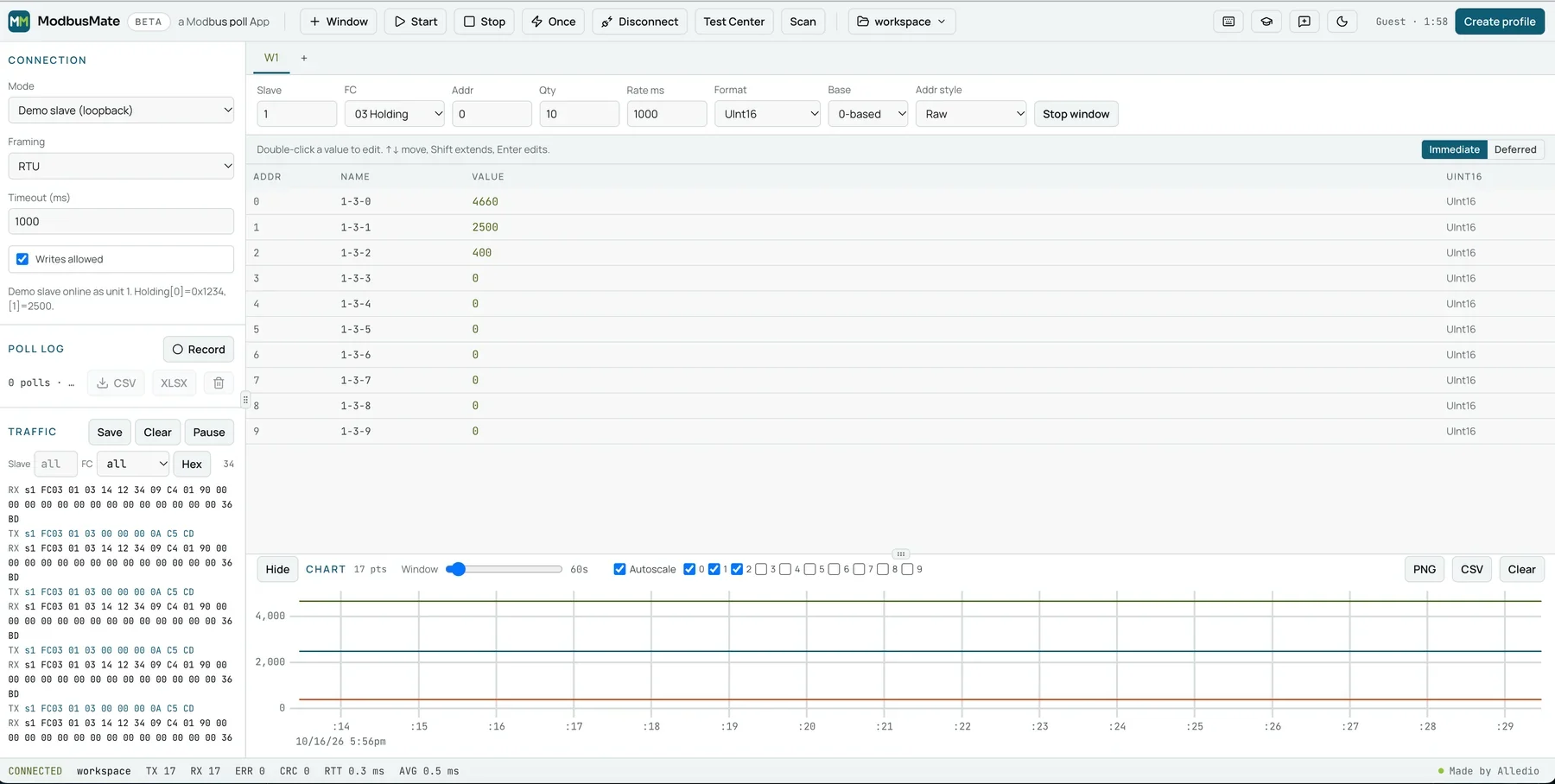
- Poll windows. Open as many as you need. Each has its own slave ID, function code, start address, quantity and poll rate.
- Shortcuts. F5 starts all windows. F6 stops them all. F8 reads once.
- Register grid. Move with the arrow keys. Edit with Enter or F2. Write pending edits with Ctrl+Enter. Name a register with Shift+F2.
- Workspaces. Ctrl+S saves windows, register names and connection settings. Ctrl+O opens them again.
It shows you every byte
The traffic log lists each request and response in hex. RTU frames get a CRC check and ASCII frames an LRC check. You can filter by slave and function code, and pause or save the log.
The status bar counts TX, RX, errors, CRC failures and round-trip time. A noisy line shows up as numbers, not as a hunch.
It decodes values for you
Pick how raw words are shown:
- signed or unsigned 16, 32 and 64-bit integers,
- Float32 and Float64 in ABCD, CDAB, BADC and DCBA order,
- hex, binary, boolean and ASCII.
The Scaled format applies a × raw + b. So a register that holds tenths of a degree reads in real degrees. You can also switch between 0-based and 1-based addressing, so the numbers match the datasheet.
It goes beyond simple polling
- Test Center. Build raw requests with presets for function codes 01 to 06, 08, 0B, 0F, 10, 11, 16, 17 and 2B.
- Device scan. Run through unit IDs and see which slaves answer.
- Live charts. Trend registers as polls come in, and export the chart as PNG or CSV.
- Logging. Press Record and export the poll log to CSV or XLSX.
- Monitoring only. Untick “Writes allowed” and every write is blocked.
For writing, ModbusMate uses the standard function codes 05, 06, 0F and 10, plus raw frames in the Test Center.
How to switch from Modbus Poll in five minutes
You do not need a migration plan. Here is a simple path.
1. Check your browser and adapter
Use Chrome, Edge or Opera on a desktop or laptop. Firefox and Safari do not support the Web Serial API, so they will not work. Your USB adapter must show up as a serial port. Common adapters with FTDI, CP210x or CH340 chips work.
2. Rebuild your first poll window
Open ModbusMate and pick the port. Set baud rate, parity, stop bits and RTU or ASCII. Then add a poll window with the same slave ID, function code and address range you used before.
Check the address base. If your old setup used 1-based numbers, set Base to 1-based. That avoids the classic off-by-one error.
3. Name your registers and save
Give key registers a name with Shift+F2. Then press Ctrl+S. Next time, Ctrl+O brings back the whole job. You can also export the workspace as JSON and hand it to a colleague.
4. Take the tour if you get stuck
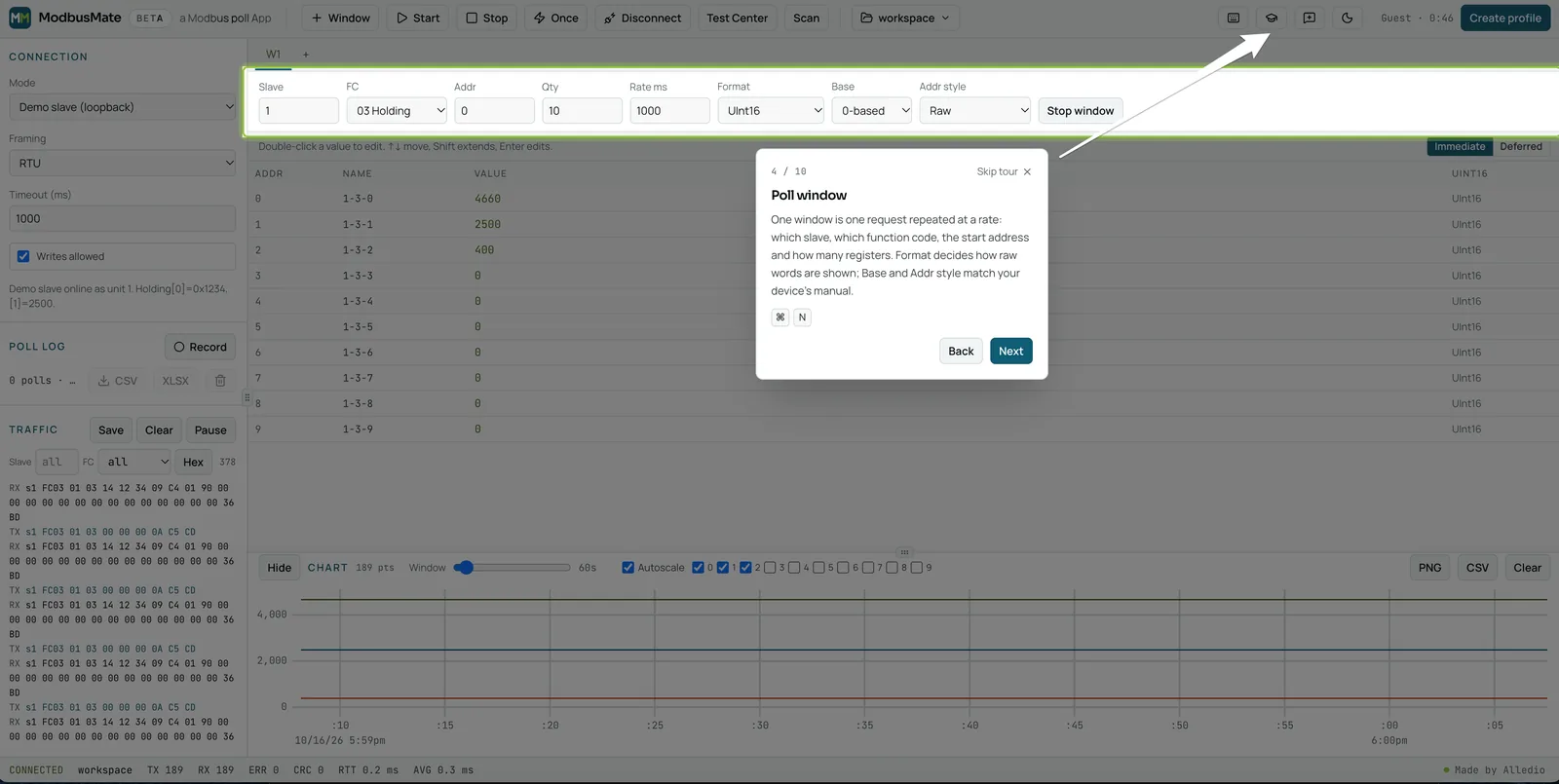
A 10-step guided tour starts on your first visit, on a screen at least 720 px wide. You can run it again with the graduation cap button.
Real reasons teams switch
Here is how the choice plays out on real jobs:
- The service technician with a locked laptop. No install rights, no problem. The browser is already there.
- The integrator with a Mac. ModbusMate runs on macOS in Chrome, Edge or Opera. On a Mac, Ctrl becomes Command.
- The commissioning team. Each engineer needs a tool, not each project. A free tool means no seat count.
- The firmware developer. Odd function codes and byte orders are a click away in the Test Center and the format menu.
If you want the broader view of tools, read our guide to the Modbus tester and our earlier list of Modbus testing tools for sensors.
What ModbusMate does not do yet
We prefer to be plain about limits:
- No Modbus TCP yet. It is coming soon. Today it is RTU and ASCII over serial.
- Desktop only. Phones and tablets do not support Web Serial.
- A free profile. After a five-minute guest session, you create a free profile with your name and email.
If you need TCP or UDP today, keep a desktop master for those jobs. Many engineers will use both.
Use it with Alledio devices
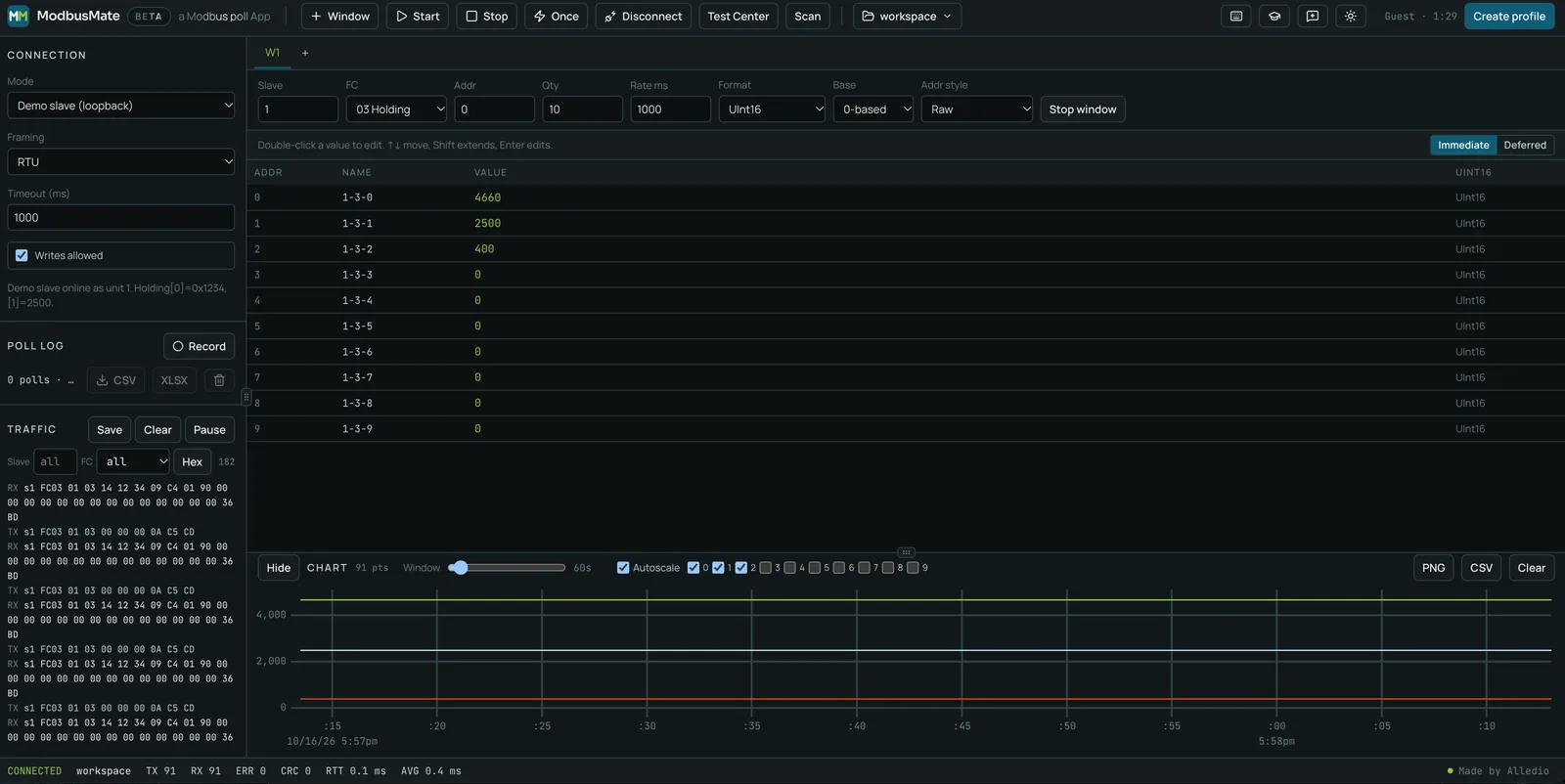
ModbusMate comes from the team that designs Alledio HVAC room devices with Modbus RTU. If you are testing our Alledio OEM Room Controller, the tool is a natural fit. The same goes for our Alledio OEM Modbus sensors.
Need help with serial settings first? Our article on key Modbus settings for sensor configuration covers baud rate, parity and addresses.
A quick decision guide
Still not sure? Answer three questions.
- Do you need Modbus TCP or UDP today? Then keep a desktop master such as Modbus Poll for those jobs.
- Is your work mostly RTU or ASCII over RS-485 or RS-232? Then a free browser tool covers it.
- Do you work on more than one operating system, or on laptops without install rights? Then the browser wins.
Many teams end up with both. They keep one licensed desktop tool for Ethernet work and give every engineer a free browser tool for serial jobs.
FAQ
Is there a free Modbus Poll alternative?
Yes. ModbusMate is free. You start with a five-minute guest session and then create a free profile with your name and email. There is no licence fee and no paid tier.
Does ModbusMate work on a Mac?
Yes. It runs in Chrome, Edge or Opera on macOS, as well as on Windows, Linux and ChromeOS. Safari is not supported because it has no Web Serial API.
Can ModbusMate replace Modbus Poll for Modbus TCP?
Not yet. Modbus TCP is coming soon. For Ethernet devices today, a desktop master such as Modbus Poll is still the right choice.
Does it have multiple poll windows like Modbus Poll?
Yes. You can open as many poll windows as you need. Each one has its own slave ID, function code, start address, quantity and poll rate.
Can I export logs to Excel?
Yes. Press Record to log every read, then export the poll log to CSV or XLSX. Charts export as PNG or CSV.
Is it safe to use on a live building?
Yes, if you switch to monitoring only. Untick “Writes allowed” and every write is blocked.
Try the free alternative today
You do not need to uninstall anything. Open ModbusMate next to your old tool and compare on your next job.
Open ModbusMate, the free Modbus Poll alternative
For the full feature list, see the ModbusMate product page. Questions? Write to info@alledio.com.